HOW TO REMOVE OMIGA PLUS FROM BROWSER ?
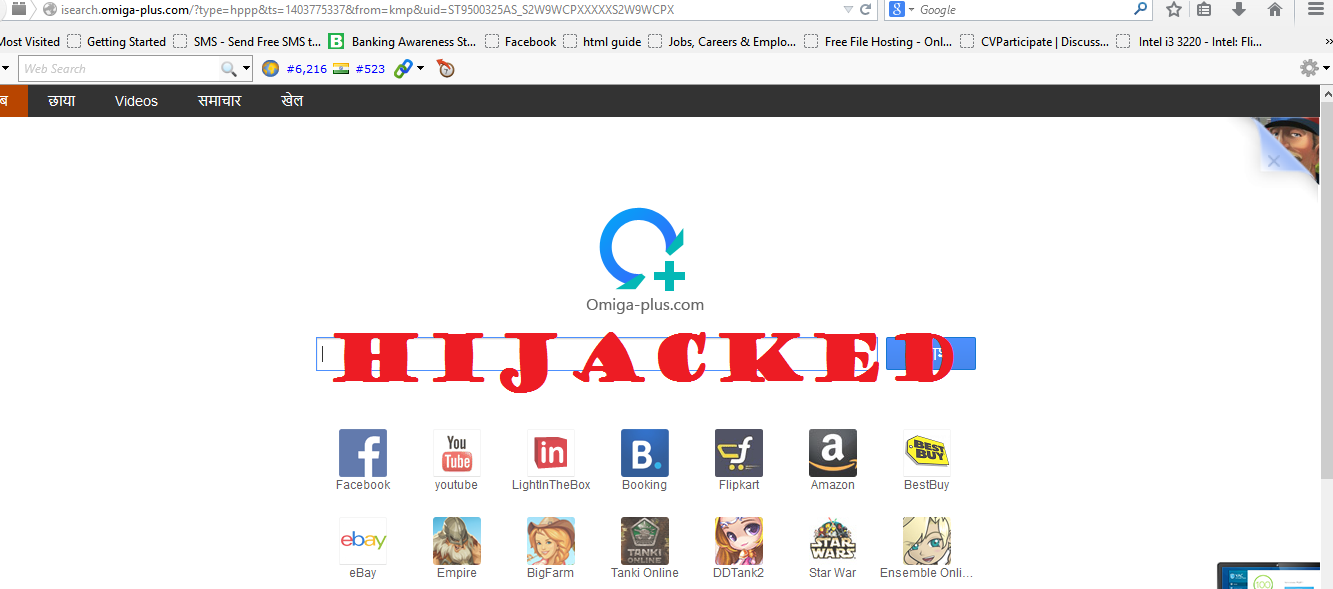


Omiga plus is an adware program which is categorized as malicious program and a PUP (potential unwanted program) and is  also called as browser hijacker. This program is  packed with some softwares like Kmplayer, Webcake adware,  Optimizer Pro, Registry cleaner   etc.  When you install those softwares,  this malicious program also get installed automatically  in your system. After this program is installed, it automatically run in the backgroud without user interference and also change browser's homepage into http://isearch.omiga-plus.com which cannot be change from the browser setting. Once this program get installed in the system, it cannot be removed easily from the system and the browsers.

HOW TO PROTECT YOURSELF FROM PACKET SNIFFING?


In this tutorial I am going to explain in a very brief way what is “ Packet Sniffing” and how to protect yourself from sniffing attack.

Sniffing is the most common way to attack wireless network. It is the method of capturing packets going through the network. Once a hacker gain access to wireless network he can intercept private information going through a network such as usernames, passwords, IM conversations, and e-mails by using packet sniffer, a  software for sniffing packet. Without security measures and controls in place, your data might be subjected to an attack so it is very important to know how to protect yourself from packet sniffing.

HOW TO BLOCK POP UPS FROM ANY WEBSITES


Pop-ups are small windows that ‘pop up’ over the top of web pages in your internet browser. The pop ups may contains useful information or may contains malware that can infect your PC. The advertisers use the pop ups to promote the product and the Hackers also used the pop ups and ads to spread the malicious software. Once user click on this ads and pop ups, it will get installed a malware on the PC without your knowledge. And once this software get installed on read more